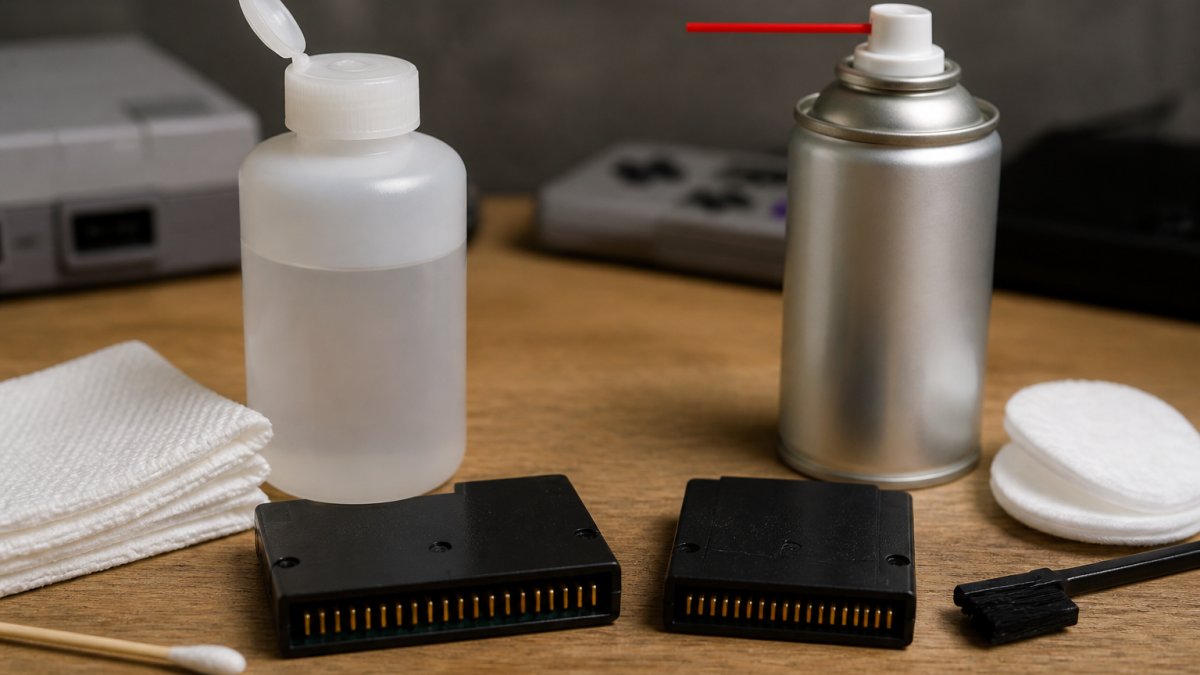
 comparison
Isopropyl Alcohol vs Contact Cleaner for Console Pins
Table of Contents
- Isopropyl Alcohol vs Contact Cleaner for Console Pins: The Quick Comparison
- Isopropyl Alcohol vs Contact Cleaner: How They Work on Cartridge Contacts
- Best Isopropyl Alcohol Percentage for Electronics and Retro Consoles
- How to Clean Retro Game Cartridges and Edge Connectors Safely
- How to Remove Oxidation from Console Pins Without Causing Damage
- Risks, Mistakes, and When Cleaning Is Not the Fix
- Conclusion
- Frequently Asked Questions
Last Updated: October 7, 2026
Isopropyl Alcohol vs Contact Cleaner for Console Pins: The Quick Comparison
For cleaning console pins, isopropyl alcohol is the safer default for most retro gamers, while contact cleaner is stronger for badly oxidized or corroded contacts.
Isopropyl alcohol (IPA) dissolves grime and evaporates cleanly, leaving nothing behind. Contact cleaner is a purpose-made electronics cleaner that often adds de-oxidizing and protective ingredients.
Below, we break down how each behaves on cartridge contacts and edge connectors, which concentration to buy, and the cleaning routine we use.
Comparison Table: IPA vs Contact Cleaner
| Factor | Isopropyl Alcohol | Contact Cleaner |
|---|---|---|
| Main job | Dissolves dirt, dust, and oil | Cleans, de-oxidizes, sometimes protects |
| Residue | Evaporates fully if pure | May leave a protective film by design |
| Water content | Higher at 70%, minimal at 91%+ | Formulated to be electronics-safe |
| Best for | Routine cleaning, light grime | Oxidation, corrosion, stubborn residue |
| Risk | Low on plated pins | Can affect some plastics and labels |
| Cost | Low, widely available | Higher, sold in smaller cans |
| Our pick | Default for most jobs | Heavy contamination only |
Isopropyl Alcohol vs Contact Cleaner: How They Work on Cartridge Contacts
Isopropyl alcohol works by dissolving contaminants, then evaporating so completely that nothing conductive is left behind. That is why it shows up in so many electronics cleaning guides. guidance on 70% isopropyl alcohol for electronics notes that 70% IPA can clean effectively without leaving conductive residue, provided you let the surface dry fully.
Contact cleaner follows a different logic. It is built specifically for electrical contacts, and the solvent blend is chosen to attack oxidation and residue that plain alcohol struggles with. WD-40's guidance on electrical contact cleaners lists solvents commonly used in these products, including heptane, isopropyl alcohol, and acetone, and points out that gentler solvent choices tend to be less effective on heavy contamination.
That trade-off is the whole story. Gentler means safer. Stronger means more capable. You pick based on what is actually on the pins.
Residue, Evaporation, and Water Content
Residue is the variable most people ignore. Pure IPA evaporates and leaves nothing. The 70% version is 30% water, fine on metal contacts if you let it dry completely, but not ideal around exposed steel that can flash-rust.
Contact cleaners evaporate too, but some leave a thin protective layer on purpose. That layer can slow future oxidation, or attract dust over time.
The practical rule: read the label, and if it does not list what is inside, test it first.
Best Isopropyl Alcohol Percentage for Electronics and Retro Consoles
The best isopropyl alcohol percentage for electronics is 91% or higher for contact cleaning, with 99% ideal when you can find it. Higher concentration means less water, faster evaporation, and less moisture on metal pins.
Here is how the common strengths compare:
- 70% IPA: Cheap and widely available. Fine on light grime, but the 30% water content means longer drying times. Avoid on bare steel.
- 91% IPA: The practical sweet spot. Fast evaporation, easy to find, safe on gold-plated edge connectors.
- 99% IPA: The cleanest option. Evaporates almost instantly and leaves zero water behind. Harder to source and dries out skin fast, so use gloves.
One caveat matters more than concentration: do not buy "rubbing alcohol" without checking the label.
general electronics cleaning guidance also advises testing any cleaner on a small, hidden area before using it broadly on expensive equipment.
How to Clean Retro Game Cartridges and Edge Connectors Safely
Cleaning retro game cartridges safely means using the mildest method that removes the contamination, working from dry to wet, and never scrubbing plated contacts with anything abrasive. The gold plating on an edge connector is thin.
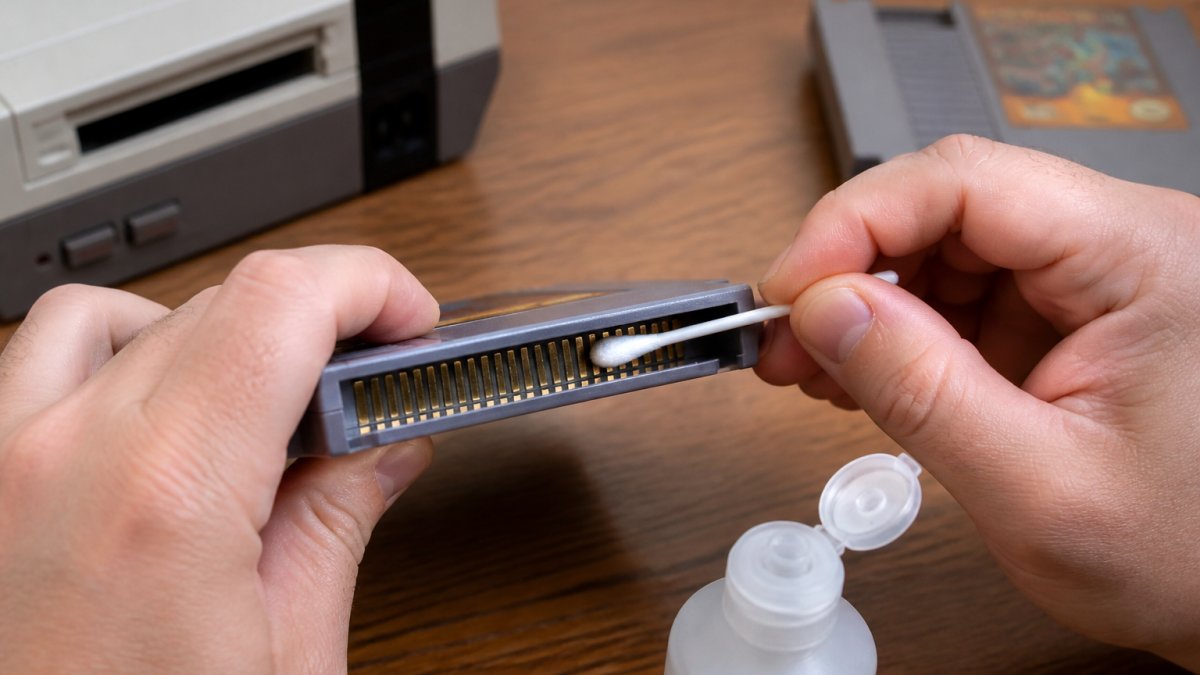
Here is a repeatable procedure:
- Power everything off and remove the cartridge. Never clean a live console.
- Start dry. Use a dry, lint-free swab or a soft brush to lift loose dust from the edge connector.
- Inspect the pins. Look for green or white corrosion, dark tarnish, or physical scratches. Photograph the contacts before you start.
- Apply IPA to the swab, not the cartridge. A damp swab, never a dripping one.
- Wipe along the contact, following the pin direction. Do not scrub across the pins.
- Swap swabs often. A dirty swab just spreads grime. Use a fresh one per pass.
- Let it dry fully. Give it a full minute at 91% or higher before inserting.
- Test the cartridge. If it still fails to boot, repeat once, then stop and diagnose further.
Cotton swabs work but shed fibers. Lint-free swabs cost more and are worth it on edge connectors, where a stray fiber can sit across two pins.
How to Remove Oxidation from Console Pins Without Causing Damage
Removing oxidation from console pins requires a chemical approach first and mechanical methods only as a last resort. Oxidation shows up as a dull, dark, or greenish film that increases electrical resistance, producing the classic symptoms: a game that boots on the fifth try, flickers, or freezes mid-level. The right method depends on which contact you are cleaning, because a cartridge slot, a controller port, and a PCB-mounted edge connector are built from different materials and finishes.
Match the Method to the Contact Type
Controller port pins. These are heavier-gauge metal and more tolerant, but often recessed behind a plastic shroud that traps liquid.
PCB-mounted edge connectors and card slots. These are typically gold-plated over nickel over copper, and the gold layer is measured in microinches, so any abrasive removes it permanently.
Battery contacts and ground springs. These are often bare or nickel-plated steel, exactly the surface that flash-rusts when exposed to the water in 70% IPA.
Chemical Removal: What Actually Works
Apply a small amount of contact cleaner or high-concentration IPA to a swab and work it along the pin. For stubborn oxidation, a purpose-made contact cleaner with de-oxidizing ingredients does more than alcohol can. contact cleaner guidance from CAIG describes products in this category as cleaning and de-oxidizing contacts, with some also providing ongoing protection. The trade-off is that de-oxidizing formulations are more aggressive, so they belong on badly fouled contacts, not on a cartridge that just needs a dust wipe.
Mechanical Removal: Where Hardware Gets Wrecked
Mechanical removal is where people destroy consoles. Erasers, pencil tips, emery boards, and metal polish all remove oxidation and plating alike. On a gold-plated edge connector, an eraser can strip the gold in seconds. On cartridge slot leaf springs, a bent pin is effectively a dead console because spring tension maintains contact pressure. If a pin is bent, stop cleaning and address the pin first; no solvent fixes a contact that is no longer touching.
When Oxidation Is Not the Problem
If chemical cleaning does not restore the connection, the problem is likely not oxidation. It may be a cracked solder joint where the slot meets the board, a failed capacitor, or a worn socket whose springs have lost tension. A useful diagnostic: if the same cartridge works in a second console, the cartridge edge connector is fine and the fault is in the first console's slot or board.
Risks, Mistakes, and When Cleaning Is Not the Fix
Cleaning is not always the answer, and treating it as a cure-all wastes time and risks damage. Before you reach for any solvent, rule out the problems cleaning cannot touch.
The Mistakes That Actually Cause Damage
- Using the wrong alcohol. Rubbing alcohol with additives leaves residue and makes things worse. Check the label for fragrance, glycerin, lanolin, or anything other than water and isopropyl alcohol.
- Drenching the hardware. Flooding a cartridge or slot pushes contaminants deeper and can damage labels. Use a damp swab, never a dripping one.
- Skipping the drying step. Inserting a damp cartridge can cause intermittent connections and, over time, corrosion on bare steel pins.
- Cleaning a working cartridge repeatedly. Every pass carries risk. If it works, leave it alone.
- Scrubbing with abrasives. Erasers, emery boards, and metal polish remove plating along with oxidation. Once the gold is gone, it does not come back.
- Spraying into a slot. Overspray carries dirt deeper and aggressive solvents can cloud or craze the plastic shell.
Diagnosis Beyond Cleaning: What the Symptoms Actually Mean
A boot failure is a symptom, not a diagnosis, and cleaning only fixes one cause. Here is how to tell dirt from something else:
Works in one console, fails in another. The cartridge edge connector is probably fine; the fault is in the failing console's slot, solder joints, or power circuit. Cleaning the cartridge will not help.
Fails in every known-good console. The cartridge itself is likely the problem.
Visible green or white corrosion on the pins. This is genuine oxidation or, worse, moisture corrosion. Chemical cleaning removes light oxidation.
Bent or misaligned pins in the slot. Stop cleaning.
No power at all, or a blank screen with no sound. This is usually a power or board-level fault, not a contact problem.
A Practical Decision Rule
Clean once with the mildest method that works. If the problem persists after one careful cleaning and full drying, stop cleaning and start diagnosing. Repeated cleaning of a contact that is not dirty adds risk without benefit. The most common pattern in repair forums is a collector who cleaned a cartridge five times before discovering the real fault was a cracked solder joint on the console's slot.
Conclusion
Getting a stubborn retro cartridge to boot again is one of the most satisfying fixes in this hobby, and it usually costs nothing more than a bottle of 91% isopropyl alcohol and a pack of lint-free swabs.
If cleaning does not solve it, the hardware may need more than a swab. Shop our quality-verified retro games and consoles, and let us help you get back to playing.
Frequently Asked Questions
Can I use isopropyl alcohol instead of contact cleaner?
Yes, for light dirt and dust on console pins, 91% or higher isopropyl alcohol works well. It evaporates quickly and leaves no conductive residue when fully dry. Contact cleaner is better for heavy oxidation, grime, or sticky residue because it is formulated with solvents that break down buildup. If your pins are only dusty, IPA is a safe and inexpensive choice.
Does contact cleaner leave a residue on console pins?
Most quality contact cleaners are designed to evaporate completely and leave no residue. However, some cheaper products may contain additives that leave a film. Check the label for terms like 'residue-free' or 'non-conductive.' If you are unsure, test on a small area first. Isopropyl alcohol is a reliable alternative if you want to avoid any chance of residue.
Which isopropyl alcohol percentage is best for cleaning retro electronics?
For cleaning console pins and cartridge contacts, 91% or 99% isopropyl alcohol is best. Higher concentrations evaporate faster and contain less water, reducing the risk of corrosion. 70% isopropyl alcohol can work but leaves more water behind, so you must dry the surface thoroughly. Avoid rubbing alcohol that contains added oils or fragrances.
How often should I clean my retro console pins?
Clean console pins only when you notice boot issues, intermittent connections, or visible dirt and oxidation. For most collectors, cleaning every few months or when swapping cartridges frequently is enough. Over-cleaning can wear down the gold plating on edge connectors. If a game works fine, there is no need to clean the pins preemptively.